
On-Page SEO Fundamentals↴
Core HTML & Metadata Optimization
>Title Tag Optimization
>Meta Description Optimization
>Meta Robots Tag Optimization
>Canonical URL Optimization
>Meta Charset Tag Optimization
>Viewport Meta Tag Optimization
Heading Structure Optimization
>Heading Tag H1 Optimization
>Heading Tags H2–H6 Optimization
>Heading Structure Best Practices
Content Optimization
>Keyword Targeting in Content
>Content Structure & Readability
>Content Depth & Word Count
>Multimedia Optimization
>Content Freshness & Updates
Internal Linking Optimization
>Internal Link Structure
>Anchor Text Optimization
>Fixing Orphan Pages
URL & Slug Optimization
Image Optimization
>Image File Naming for SEO
>Image Compression & Formats
>Image Alt Text & Title Attributes
Schema Markup & Structured Data
>Schema Markup Overview
>Common Schema Types
>Testing & Validating Schema
External & Outbound Links
>Outbound Link Quality & Relevance
>Nofollow, Sponsored & UGC Attributes
Page Experience & Engagement
>Core Web Vitals Optimization
>Mobile Friendliness
>Accessibility Standards for SEO
Crawl & Indexing Controls (On-Page)
Heading Tag H1 Optimization: Your Page’s SEO & UX Headline

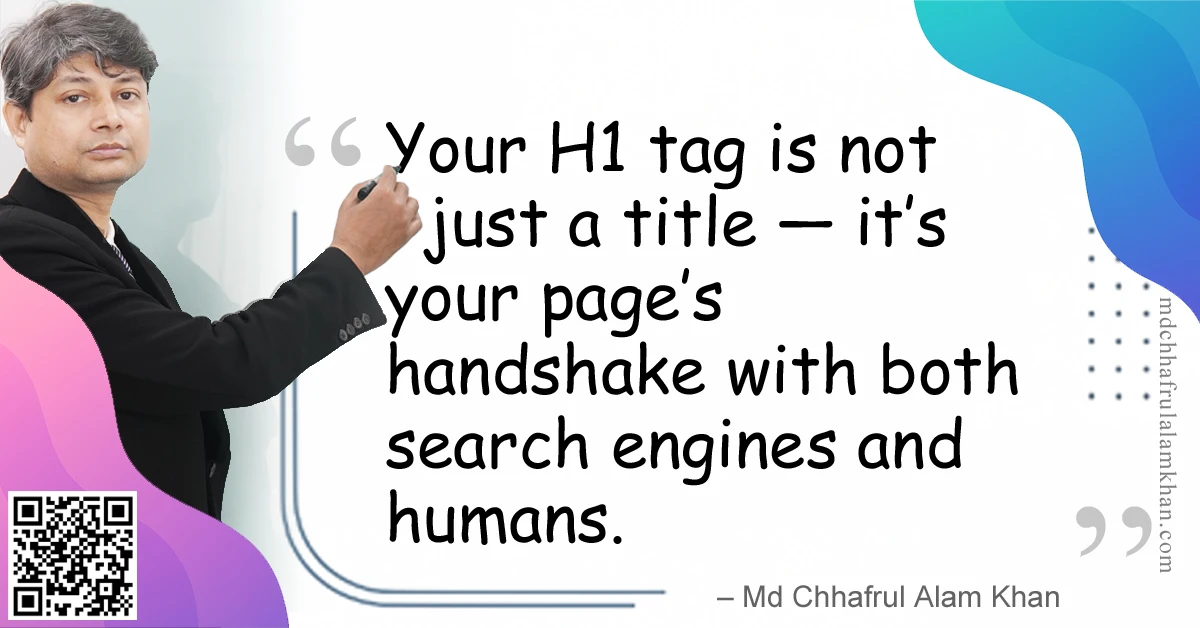
“Your H1 tag is not just a title — it’s your page’s handshake with both search engines and humans.”
– Md Chhafrul Alam Khan
🧭 What is an H1 Tag?
The H1 tag is an HTML element that defines the main heading of a web page.
It signals to both users and search engines what the page is primarily about.
Example:
<h1>Ultimate Guide to Organic SEO</h1>
In HTML structure, the H1 is considered the most important heading for context and hierarchy.
🎯 Why H1 Tag Optimization Matters
- Search Engine Clarity
Search engines use the H1 as a strong indicator of the page’s topic. - User Orientation
Visitors instantly know what to expect from your content. - Semantic Structure
Helps organize the document hierarchy for better accessibility. - Click & Engagement Boost
A well-written H1 can hook readers just like a headline hooks newspaper readers. - Supports Featured Snippets
A clear, concise H1 increases your chances of AI/voice results.
📌 Best Practices for H1 Tag Optimization
✅ 1. Use Only One H1 per Page
Keep your hierarchy clean. The H1 should be the main title, with H2–H6 for subtopics.
✅ 2. Match Page Topic & Intent
If your page is about “Email Marketing for Beginners,” your H1 should reflect exactly that.
Good Example:
<h1>Email Marketing for Beginners: Step-by-Step Guide</h1>
Bad Example:
<h1>Welcome to Our Blog</h1>
(Too generic; lacks topic clarity.)
✅ 3. Include Primary Keywords Naturally
Blend your target keyword without keyword stuffing.
✅ 4. Keep It Concise but Descriptive
Aim for 40–70 characters; enough to convey meaning but short enough to scan.
✅ 5. Make It Engaging
Treat your H1 like an irresistible headline — use emotional triggers, power words, and clarity.
✅ 6. Style with CSS, Not HTML Tricks
Don’t use multiple <h1> tags for design purposes. Use CSS for visual styling.
📊 H1 Placement in HTML Structure
<!DOCTYPE html>
<html lang="en">
<head>
  <title>Email Marketing for Beginners</title>
</head>
<body>
  <h1>Email Marketing for Beginners: Step-by-Step Guide</h1>
  <p>Welcome! In this guide, you’ll learn...</p>
</body>
</html>
💼 Mini Case Study: B2B SaaS Lead Growth
Problem:
A SaaS website used vague, branded-only H1s like “Welcome to Our Platform” — low click-through and poor keyword match.
Solution:
Rewrote H1s to target specific solutions and included primary keywords.
Result:
✅ 32% organic traffic increase in 60 days
✅ 18% boost in average time on page
🛠 Tools to Optimize & Check H1 Tags
| Tool | Purpose |
|---|---|
| Screaming Frog SEO Spider | Finds multiple or missing H1s |
| Ahrefs Site Audit | Checks keyword usage & H1 length |
| Google Search Console | Identifies performance by keyword/topic |
| Web Developer Toolbar | Visualizes heading structure |
⚠️ Common Mistakes to Avoid
❌ Multiple H1 tags — confuses search engines and breaks hierarchy
❌ Generic headings — waste SEO potential
❌ Keyword stuffing — unnatural & spammy
❌ Styling <div> text instead of using real <h1> tags
💡 Pro Tips from My Experience
💎 Pro Tip 1: Align your H1 with your <title> tag for consistency, but make it more engaging for humans.
💎 Pro Tip 2: Use emotional triggers like “Ultimate Guide,” “Proven,” or “Step-by-Step.”
💎 Pro Tip 3: Review competitor H1s for your target keyword — then make yours more compelling.
🧠 FAQs on H1 Tags
Q1: Can I use multiple H1 tags for SEO?
A: Best practice is one per page; multiple H1s can confuse search engines.
Q2: Does Google penalize multiple H1s?
A: Not directly, but it can dilute clarity and harm accessibility.
Q3: Should my H1 be the same as my blog post title?
A: Often yes, but you can make small tweaks for engagement.
Learn> >On-Page SEO >Off-Page SEO >Technical SEO >Local SEO >Next-Gen SEO
Remember:
“SEO is a journey, not a destination.”
– Md Chhafrul Alam Khan
Next Step 🚀
Master SEO from Beginner to Expert with our Free Online Self-Learning Course on SEO Mastery.
Learn> >On-Page SEO >Off-Page SEO >Technical SEO >Local SEO >Next-Gen SEO
Leave a Reply