
On-Page SEO Fundamentals↴
Core HTML & Metadata Optimization
>Title Tag Optimization
>Meta Description Optimization
>Meta Robots Tag Optimization
>Canonical URL Optimization
>Meta Charset Tag Optimization
>Viewport Meta Tag Optimization
Heading Structure Optimization
>Heading Tag H1 Optimization
>Heading Tags H2–H6 Optimization
>Heading Structure Best Practices
Content Optimization
>Keyword Targeting in Content
>Content Structure & Readability
>Content Depth & Word Count
>Multimedia Optimization
>Content Freshness & Updates
Internal Linking Optimization
>Internal Link Structure
>Anchor Text Optimization
>Fixing Orphan Pages
URL & Slug Optimization
Image Optimization
>Image File Naming for SEO
>Image Compression & Formats
>Image Alt Text & Title Attributes
Schema Markup & Structured Data
>Schema Markup Overview
>Common Schema Types
>Testing & Validating Schema
External & Outbound Links
>Outbound Link Quality & Relevance
>Nofollow, Sponsored & UGC Attributes
Page Experience & Engagement
>Core Web Vitals Optimization
>Mobile Friendliness
>Accessibility Standards for SEO
Crawl & Indexing Controls (On-Page)
Multimedia Optimization: Making Videos, Audio & Interactive Elements SEO-Friendly

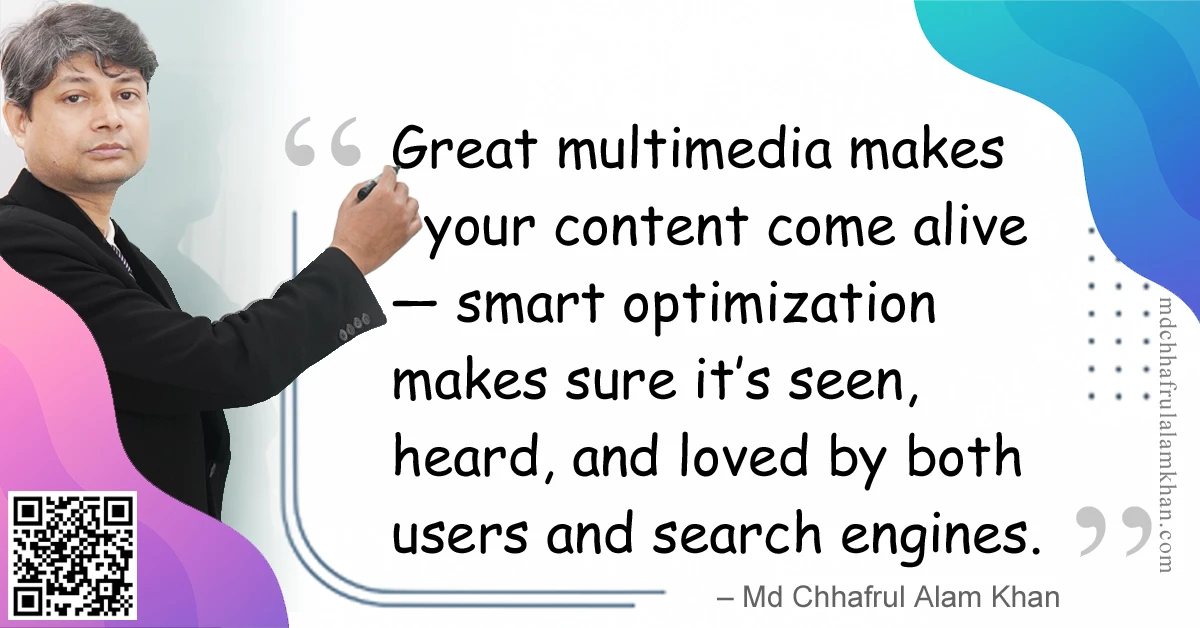
“Great multimedia makes your content come alive — smart optimization makes sure it’s seen, heard, and loved by both users and search engines.”
– Md Chhafrul Alam Khan
🧭 What Is Multimedia Optimization?
Multimedia optimization is the process of ensuring that all non-text content — videos, audio files, animations, infographics, and interactive elements — is fast-loading, accessible, and discoverable by search engines.
This is not just about compression or file naming — it’s about making multimedia an integrated part of your content strategy that enhances engagement and ranking potential.
🎯 Why Multimedia Optimization Matters
- Better User Experience (UX)
- Keeps visitors engaged with interactive, rich content.
- Higher SEO Value
- Optimized multimedia improves time on page and reduces bounce rate.
- Accessibility & Inclusivity
- Captions, transcripts, and alt text make content usable for all.
- Cross-Platform Reach
- Mobile-friendly, responsive media works across devices.
- AEO & GEO Benefits
- AI-powered engines can understand and surface multimedia when it’s properly tagged.
📌 Key Types of Multimedia in SEO
| Multimedia Type | Optimization Focus |
|---|---|
| Images | Alt text, compression, descriptive file names |
| Videos | Titles, descriptions, transcripts, schema markup |
| Audio/Podcasts | Transcripts, metadata, file optimization |
| Infographics | Descriptive alt text, compressed file size |
| Interactive Elements | Lightweight scripts, accessibility compliance |
🔑 How to Optimize Multimedia (Best Practices)
✅ 1. Use Descriptive File Names
Instead of:
video123.mp4
Use:
digital-marketing-tips.mp4
✅ 2. Add Relevant Metadata
- Videos: Title, description, tags, categories.
- Audio: ID3 tags (artist, title, description).
- Infographics: Descriptive alt text.
✅ 3. Provide Text Alternatives
- Captions for videos.
- Transcripts for audio and podcasts.
- Descriptive captions for infographics.
✅ 4. Optimize File Size & Format
- Use modern formats: WebM for video, WebP for images, MP3/AAC for audio.
- Compress with tools like HandBrake, Squoosh, or TinyPNG.
✅ 5. Implement Schema Markup
VideoObjectfor videos.AudioObjectfor podcasts.ImageObjectfor images.
🛠 Tools for Multimedia Optimization
| Tool | Purpose |
|---|---|
| HandBrake | Video compression |
| FFmpeg | Video/audio format conversion |
| Squoosh | Image compression |
| Otter.ai | Transcription |
| Google Structured Data Testing Tool | Schema validation |
⚠️ Common Mistakes to Avoid
❌ Ignoring mobile optimization — Large files slow down mobile experience.
❌ No transcripts or captions — Misses accessibility and SEO opportunities.
❌ Generic file names — Search engines can’t understand the media.
❌ Overusing heavy animations — Can slow down page load.
💡 Pro Tips from My Experience
💎 Pro Tip 1: Host important videos on your own domain before uploading to YouTube — so you get SEO credit.
💎 Pro Tip 2: Use lazy loading for videos and images below the fold.
💎 Pro Tip 3: Embed multimedia in a way that supports your main keyword strategy.
🧠 FAQs on Multimedia Optimization
Q1: Should I host videos on YouTube or my own site?
A: Use both — YouTube for reach, your own site for SEO value.
Q2: Do captions really help SEO?
A: Yes — they make content accessible and give search engines text to index.
Q3: How big should my video files be?
A: Keep under 100MB if possible for fast streaming.
Learn> >On-Page SEO >Off-Page SEO >Technical SEO >Local SEO >Next-Gen SEO
Remember:
“SEO is a journey, not a destination.”
– Md Chhafrul Alam Khan
Next Step 🚀
Master SEO from Beginner to Expert with our Free Online Self-Learning Course on SEO Mastery.
Learn> >On-Page SEO >Off-Page SEO >Technical SEO >Local SEO >Next-Gen SEO
Leave a Reply