
On-Page SEO Fundamentals↴
Core HTML & Metadata Optimization
>Title Tag Optimization
>Meta Description Optimization
>Meta Robots Tag Optimization
>Canonical URL Optimization
>Meta Charset Tag Optimization
>Viewport Meta Tag Optimization
Heading Structure Optimization
>Heading Tag H1 Optimization
>Heading Tags H2–H6 Optimization
>Heading Structure Best Practices
Content Optimization
>Keyword Targeting in Content
>Content Structure & Readability
>Content Depth & Word Count
>Multimedia Optimization
>Content Freshness & Updates
Internal Linking Optimization
>Internal Link Structure
>Anchor Text Optimization
>Fixing Orphan Pages
URL & Slug Optimization
Image Optimization
>Image File Naming for SEO
>Image Compression & Formats
>Image Alt Text & Title Attributes
Schema Markup & Structured Data
>Schema Markup Overview
>Common Schema Types
>Testing & Validating Schema
External & Outbound Links
>Outbound Link Quality & Relevance
>Nofollow, Sponsored & UGC Attributes
Page Experience & Engagement
>Core Web Vitals Optimization
>Mobile Friendliness
>Accessibility Standards for SEO
Crawl & Indexing Controls (On-Page)
On-Page SEO Tools & Software: The Essential Toolkit

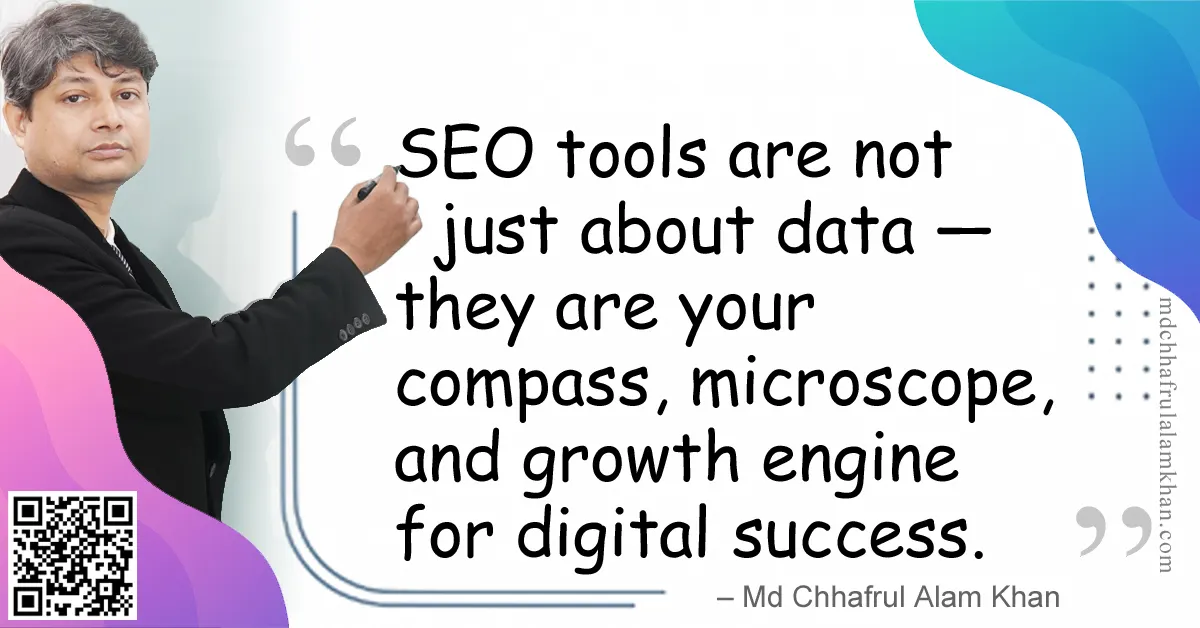
“SEO tools are not just about data — they are your compass, microscope, and growth engine for digital success.”
– Md Chhafrul Alam Khan
🧭 What are On-Page SEO Tools & Software?
On-page SEO tools & software help marketers, developers, and content creators analyze, monitor, and optimize their websites for better search engine visibility.
While a manual SEO audit is essential for human judgment, tools provide:
- Data-driven insights (keywords, errors, crawl issues)
- Automation for repetitive checks (broken links, duplicate titles)
- Actionable reports for technical, content, and user experience improvements
🎯 Why On-Page SEO Tools Matter
- Time-Saving Automation
- Quickly scans hundreds of pages vs. manual checks.
- Error Detection at Scale
- Finds issues like broken links, missing alt text, and duplicate tags.
- Data Visualization
- Helps interpret technical SEO with charts & graphs.
- Continuous Monitoring
- Alerts you to new errors, ensuring long-term SEO health.
- Integration with Analytics & AI
- Many tools now integrate with AI (GEO + AEO optimization).
🧰 Categories of On-Page SEO Tools
🔍 1. Website Crawlers
- Screaming Frog SEO Spider
- Crawls your website like a search engine
- Detects broken links, missing titles, duplicate content
- Sitebulb
- Visual site audits with graphs and diagrams
- Easy-to-read reports for clients
📝 2. Content Optimization Tools
- SurferSEO
- NLP-powered content analysis
- Compares your content against top-ranking competitors
- Clearscope
- Suggests semantically related keywords
- Ensures content covers topic comprehensively
- Frase
- AI-driven content briefs and optimization suggestions
📊 3. Technical SEO Tools
- Google Search Console
- Checks indexing, coverage, and performance issues
- Provides structured data and mobile usability reports
- Ahrefs Site Audit / SEMrush Site Audit
- Full technical scans for on-page errors
- Prioritized recommendations
- Lighthouse (Chrome DevTools)
- Analyzes Core Web Vitals, accessibility, and performance
🌍 4. Structured Data & Schema Tools
- Google Rich Results Test
- Validates schema implementation
- Schema Markup Validator
- Ensures structured data follows proper syntax
📱 5. Mobile & Speed Testing Tools
- PageSpeed Insights
- Measures site performance
- GTmetrix
- Advanced speed metrics with waterfall analysis
- Mobile-Friendly Test
- Confirms responsive design compliance
🔗 6. Internal Linking & Crawl Tools
- Ahrefs Internal Link Opportunities
- Screaming Frog + Custom Extraction
- Link Whisper (WordPress Plugin)
🤖 7. AI & Automation SEO Tools
- Surfer AI → Generates optimized content drafts
- ChatGPT SEO Prompts → Refines metadata, headlines, FAQs
- MarketMuse → AI-driven topical authority mapping
🛠 Comparison Table of On-Page SEO Tools
| Tool | Primary Function | Best For |
|---|---|---|
| Screaming Frog | Website crawling | Technical audits |
| SurferSEO | Content optimization | Keyword-rich articles |
| Clearscope | Semantic SEO | Content depth |
| Google Search Console | Indexing & tracking | Free technical checks |
| PageSpeed Insights | Speed testing | Core Web Vitals |
| Ahrefs/SEMrush | Comprehensive audit | All-in-one SEO management |
| Lighthouse | Performance & accessibility | Developers |
| MarketMuse | AI optimization | Content strategy |
⚠️ Common Mistakes with SEO Tools
❌ Over-relying on tools without manual review
❌ Using too many tools instead of mastering a few
❌ Ignoring data interpretation — tools give numbers, humans give meaning
❌ Focusing on vanity metrics instead of business KPIs
📈 SEO Benefits of Using Tools
- Efficiency → Faster audits, better resource allocation
- Accuracy → Fewer overlooked issues
- Optimization at Scale → Works for big websites with 1,000+ pages
- Future-Proofing → AI-powered tools prepare sites for next-gen search
🧠 FAQs on On-Page SEO Tools
Q1: Do free tools work as well as paid ones?
A: Free tools (like Google Search Console) are excellent but limited. Paid tools provide deeper insights.
Q2: Should I use multiple SEO tools?
A: Yes, but focus on one crawler + one content optimizer + one analytics tool as a minimum stack.
Q3: How often should I run SEO audits with these tools?
A: At least monthly for ongoing websites, and after every major update.
Learn> >On-Page SEO >Off-Page SEO >Technical SEO >Local SEO >Next-Gen SEO
Remember:
“SEO is a journey, not a destination.”
– Md Chhafrul Alam Khan
Next Step 🚀
Master SEO from Beginner to Expert with our Free Online Self-Learning Course on SEO Mastery.
Learn> >On-Page SEO >Off-Page SEO >Technical SEO >Local SEO >Next-Gen SEO
Leave a Reply